Turning warehouse drawings into a walk-through 3D model
Construction drawings are precise and hard to read at a glance. Here's what it takes to turn a set of them into an interactive 3D warehouse you can rotate, cut away and inspect.
- generative AI
- 3D modelling
- engineering workflows
- CAD automation
- construction
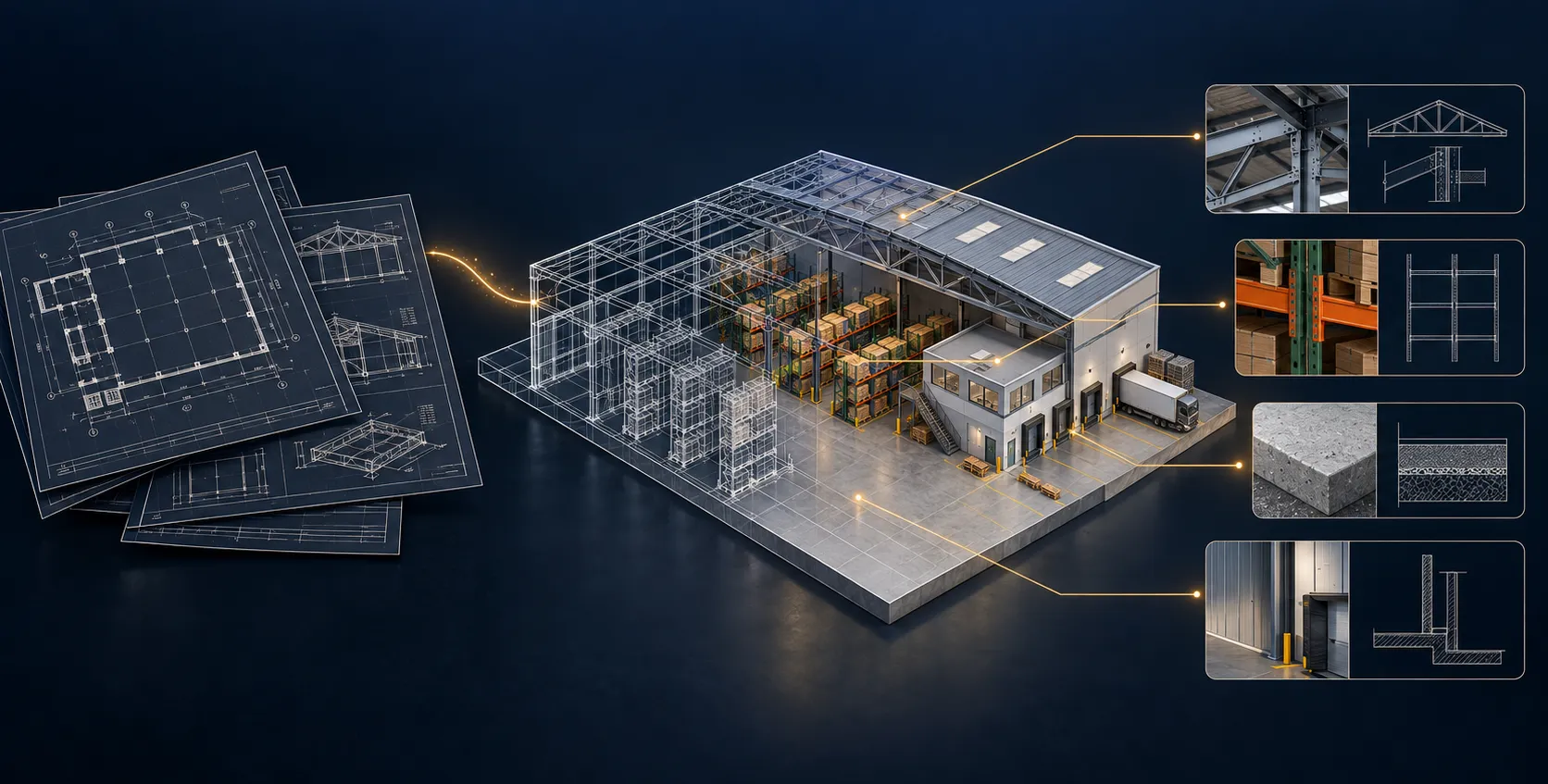
A set of construction drawings holds everything you need to build a warehouse and almost nothing you can picture at a glance. Plans, elevations, rack schedules, dock details — all correct, all flat, all spread across dozens of sheets. So I took one renovation package and turned it into a single 3D model you can rotate, cut open and walk through in the browser.
What it’s built from
The model is assembled from the renovation drawings: the building envelope, the loading docks, the pallet-racking layout — bays, beams and uprights — the mezzanine, and the office core with its break room and support rooms. Where the drawings gave dimensions, the geometry follows them. Where they didn’t, the model makes an assumption and says so, rather than hiding it.
The model below is the result. Drag to orbit, scroll to zoom, and use the panel to toggle the roof, show labels, or open the cutaway view.
What needed a second pass
The first version was rough. Racking that didn’t line up with the grid, an office core that was only approximately placed, roof geometry that needed checking against the elevations. The honest parts are labelled as much — “approximate office core”, “further review”, “rack clarification” — because a model that pretends to certainty it doesn’t have is worse than useless on a live project.
So the value isn’t that it’s perfect. It’s that a rack clash or a missing dimension is now something you can see and point at, instead of something buried three sheets deep.
Why bother
A drawing set is the contract. A 3D model is the conversation. Being able to spin the building around, drop the roof off and look at the racking makes a renovation far easier to discuss with everyone who isn’t fluent in plan and section — which is most of the people who have to sign off on it.
Under the hood
A short, honest accounting of what went in and what came out.
- Inputs — 19 PDF drawings plus addenda, schedules, finish boards and rack specifications.
- Output — an interactive Three.js model, a source-linked scope register, and automated drawing checks.
- Validation — selected mesh measurements compared against the written values on the drawings.
- Status — 27 selected checks match; 3 remain under review.
- Limits — not an as-built survey, not a certified BIM model, not a complete takeoff.
The most useful check is the pump room: the value written on the drawing, the value measured off the 3D mesh, the difference between them, and the source page they came from — all in one place. That is the difference between “trust me” and “here’s the evidence.”
Built with Codex, Three.js and Astra GPT assistance. The model keeps its source references, assumptions and unresolved items visible, so a human can review the output rather than take it on trust.
Why this is possible now
A year ago this would have been weeks of manual CAD work. What changed is the latest generation of AI models — the kind of reasoning OpenAI has been showing under the Astra name — which can now read engineering documents and hold enough spatial understanding to assemble geometry from them, not just describe a picture.
I first tried the same approach on a process plant: starting from nothing but a published P&ID and some supporting research, I had it build an interactive 3D mockup of a distillation setup, researching plausible layouts for the missing details and documenting its assumptions for supports, stairs and platforms. The first version had equipment floating and parts running into each other — it took several review passes to correct. But the fact that it got that far from a single schematic is the point.
For construction the opening is bigger, because the bottleneck is bigger. Every project starts as a stack of drawings that a human has to read, interpret and re-model by hand before anyone can visualise it. If a model can do the first pass of that — extract the geometry from the drawing set and stand up a 3D CAD model to review — the slow, expensive, error-prone step of turning 2D documents into something you can inspect starts to automate. That is a large part of what early construction and renovation work actually is.
It doesn’t remove the engineer. Someone still has to check what the model assumed, catch the clashes, and decide what is accurate enough to build from. But it moves that person from drawing the model to reviewing it — which is a much better use of an expensive hour.
Where this goes next
The more complete the input — real dimensions, full rack schedules, confirmed finishes — the tighter the output. This one is a conceptual pass built to be argued with. Feed it better drawings, and the same approach that extracts geometry from a P&ID or a construction set gets closer to something you could build from.